
Security
How Silicon Guardian protects elevation
These claims match what the product actually does today: mandatory MFA, lockouts, HMAC-authenticated devices, Ed25519-signed leases, and an append-only hash-chained audit log.
Security
Sign-in is never just a password
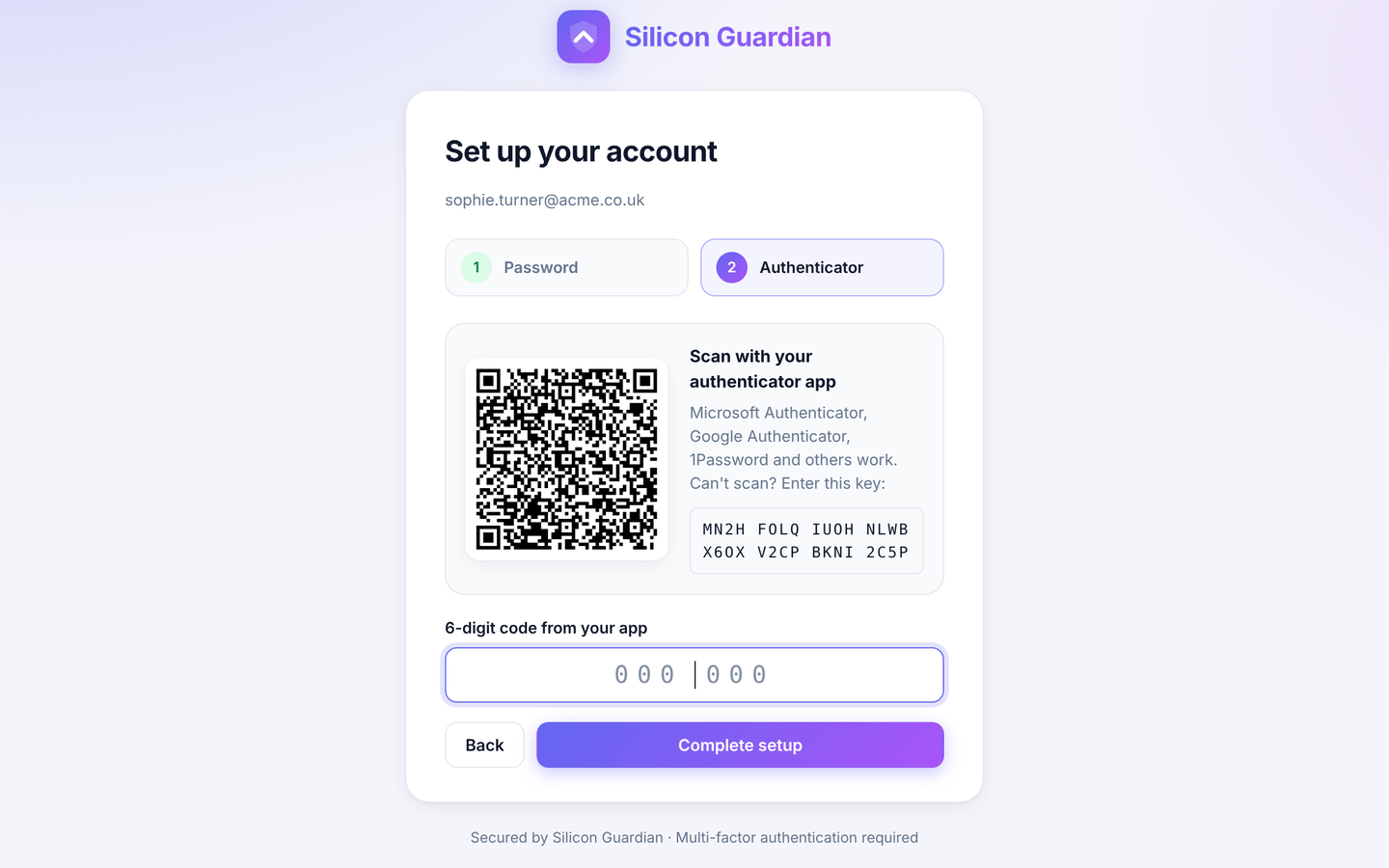
Every invited user must enrol a TOTP authenticator before they can use the Mac app. Sign-in requires email, password and a six-digit code. Used codes cannot be replayed.
Invite links are single-use and expire after 72 hours by default. Passwords must be at least 12 characters, must not contain the email name, and must not be a short list of common passwords. The QR code on the setup page is drawn in the browser, so the TOTP secret is not sent to a third-party QR service.
Brute-force lockouts, on the server and on the Mac
The licensing server records failed password and TOTP attempts:
- Five failed sign-ins on an account lock that account for 30 minutes.
- Twenty failed attempts from one IP in 15 minutes lock that IP.
- Login and API routes are also rate-limited per IP.
- Invite links lock after five bad attempts; probing invalid tokens can lock the IP.
The Mac app adds its own protection: a progressive delay after failed sign-ins, and a 15-minute local lockout after five failures, stored in the Keychain. Touch ID and the Mac login password keep their own platform limits. Lockouts are written to the audit log, and organisation admins can unlock their users from My Account.
Devices authenticate with HMAC, and leases are signed
After a Mac is assigned to an account, device API calls must present both a short-lived HS256 access token and an HMAC-SHA256 request signature, with a one-time nonce so a captured request cannot be replayed.
Each check-in returns an Ed25519-signed licence lease. The agent can verify that lease offline and, while it remains valid, allow elevation for up to seven days without contacting the server. Check-in happens once a day, and after wake if it has been more than six hours, which renews the lease.
If an admin unassigns the device or disables the user, the next check-in or session request is rejected and the app wipes its credentials. A Mac that stays offline can continue to elevate until its current lease expires — at most seven days. Offline sessions are reported when the Mac reconnects. Organisation admins can shorten the offline grace in settings if they need tighter control.
Secrets such as TOTP material are encrypted at rest (XSalsa20-Poly1305). Tokens are stored as hashes, not in the clear, and keys are derived from the WordPress salts so a database-only copy is not enough to recover them. The site should be served over HTTPS in production.
An audit log you can check for tampering
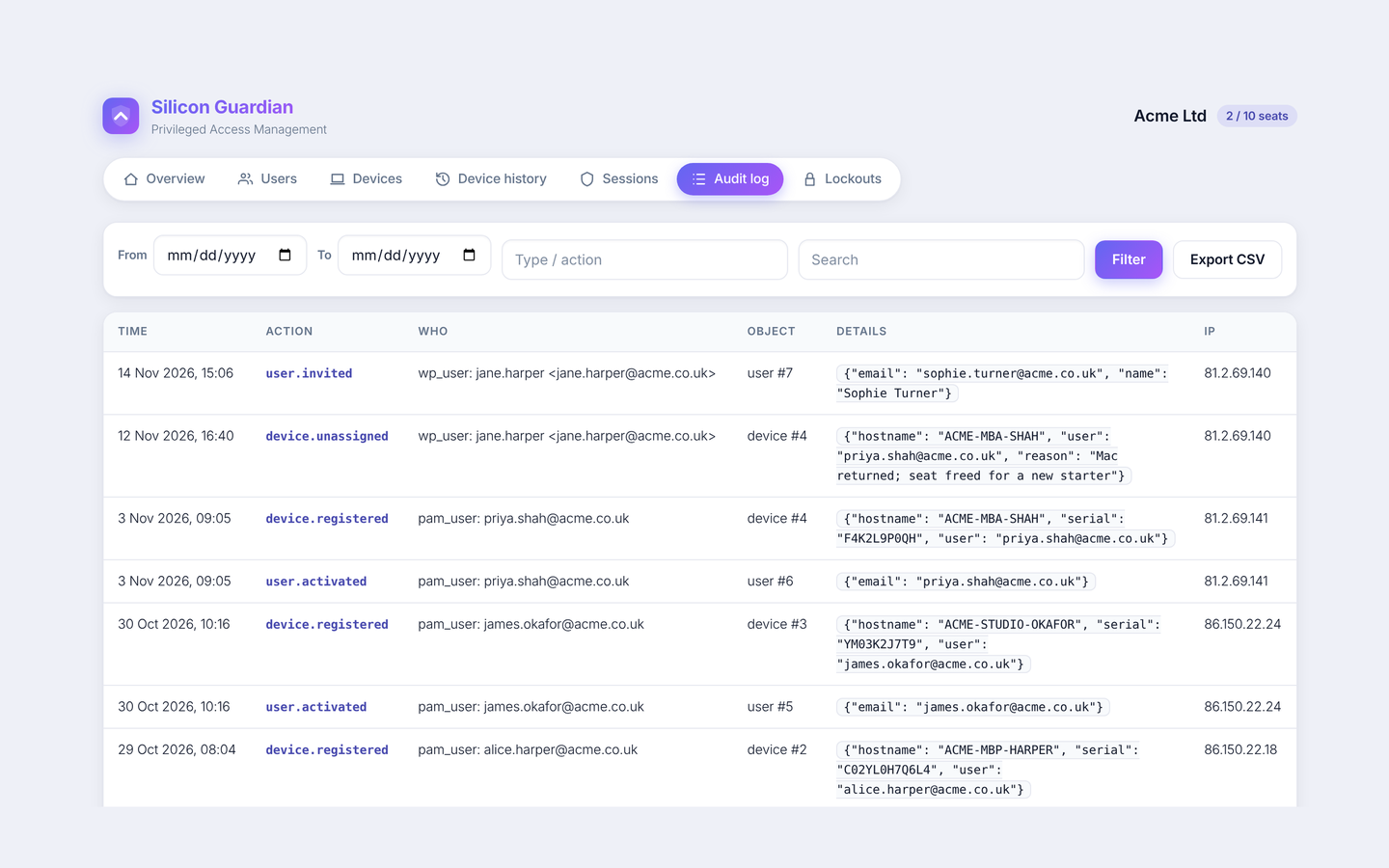
The organisation audit log is append-only: there is no update or delete API. Each row stores a SHA-256 hash of the previous row, so a later change to history is detectable. The log records who did what, when, and from which IP — invites, resets, assignments, unassignments, seat changes, lockouts, unlocks, settings and exports.
Elevation sessions are stored separately, including the temporary account name, the reason, start and end, and activity reported by the Mac. That history remains after a device is unassigned.
A database administrator could still delete rows at the SQL level. The hash chain will detect that, but for a stronger guarantee you should also forward audit events to a SIEM or other external store.
The user’s own account is never promoted
This is a design constraint, not a setting. The privileged helper creates a hidden temporary admin account for the session and deletes it afterwards — when the timer ends, when the user ends the session, or after a reboot mid-session. A five-minute cooldown (a floor, not just a default) applies before another session can start.
Elevation also requires a licensed Mac and a local Touch ID or password prompt. Silicon Guardian is designed to help meet Cyber Essentials Plus requirements around controlling administrative privileges. It is not a Cyber Essentials or Cyber Essentials Plus certification.
Questions about the security model?
We’re happy to talk through how this fits your environment.