
Privileged Access Management for Mac
Admin rights on Mac, only when needed
Keep every user as a standard account. When someone needs to install software or change a setting, Silicon Guardian issues a 15-minute temporary admin account — then deletes it. Their own login is never promoted.
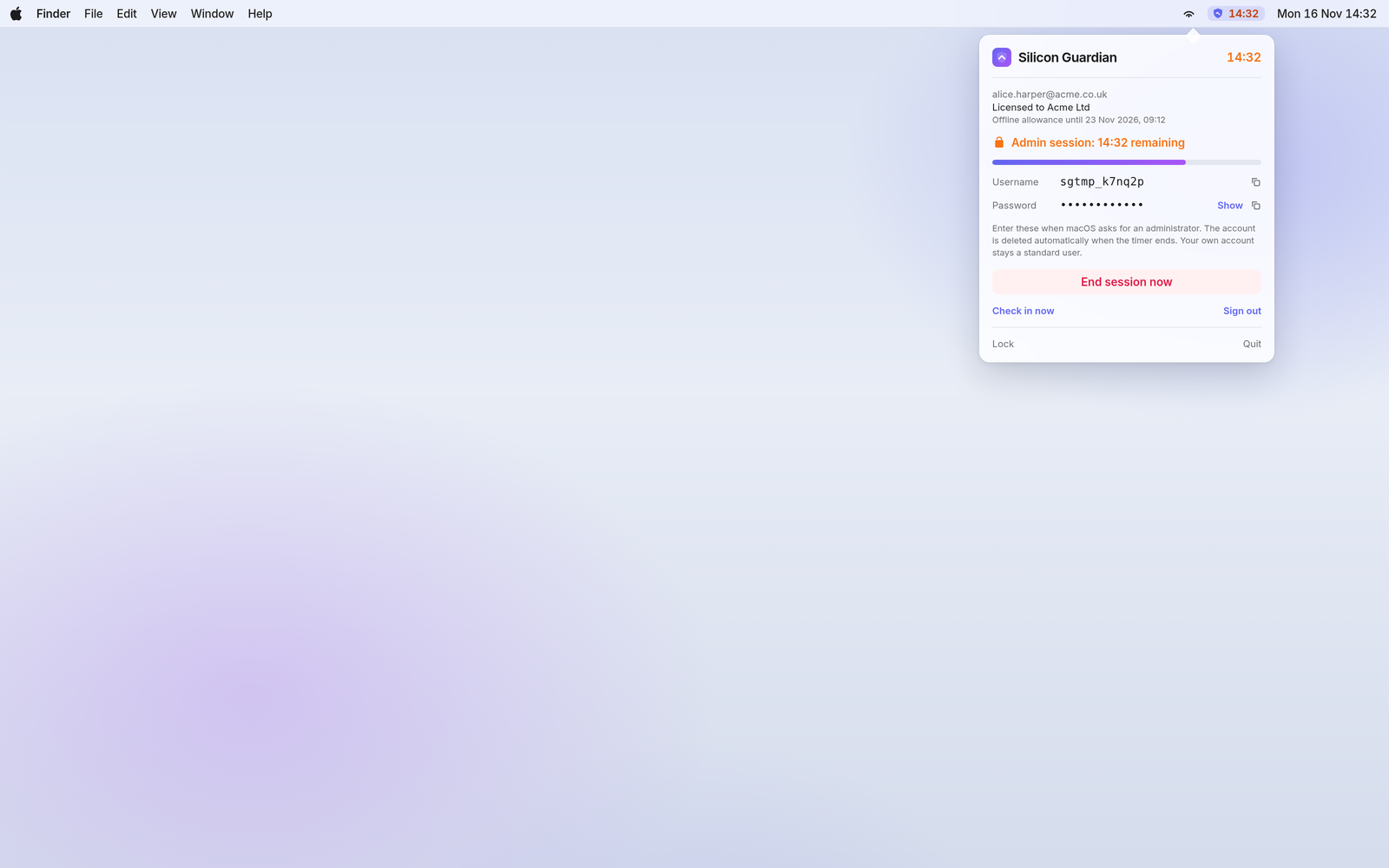
Standard users by default · 15-minute temporary admin · Full audit trail · Deploy with Intune, Jamf or Kandji
How it works
Three steps from purchase to a locked-down Mac fleet
Silicon Guardian is a WordPress-hosted licensing service plus a menu-bar app you deploy to your Macs. Your staff stay standard users. Admin rights appear only for a short, supervised window.
1
Buy seats and invite your team
Start with the 10-seat Team pack. Invite colleagues by email; each person sets a password and enrols an authenticator app before they can sign in.
2
Deploy the Mac app with your MDM
Push a configuration profile, then the signed installer package, with Microsoft Intune, Jamf Pro or Kandji. Users must already be standard accounts.
3
Request admin for 15 minutes
A user unlocks with Touch ID or their Mac password. The app creates a temporary admin account, then deletes it when the timer ends or they stop the session. Everything is logged.
Why teams use it
Built so users never have to be local admins
A temporary account, not a promotion
Silicon Guardian never adds the signed-in user to the admin group. It creates a hidden sgtmp_ account for the session and removes it afterwards — on expiry, when the user ends the session, or after a reboot mid-session.
Touch ID or password to unlock
Before a session starts, the person at the Mac re-authenticates with Touch ID, Apple Watch, or their macOS login password. A five-minute cooldown follows each session, so elevation cannot be left “always on”.
A complete audit trail
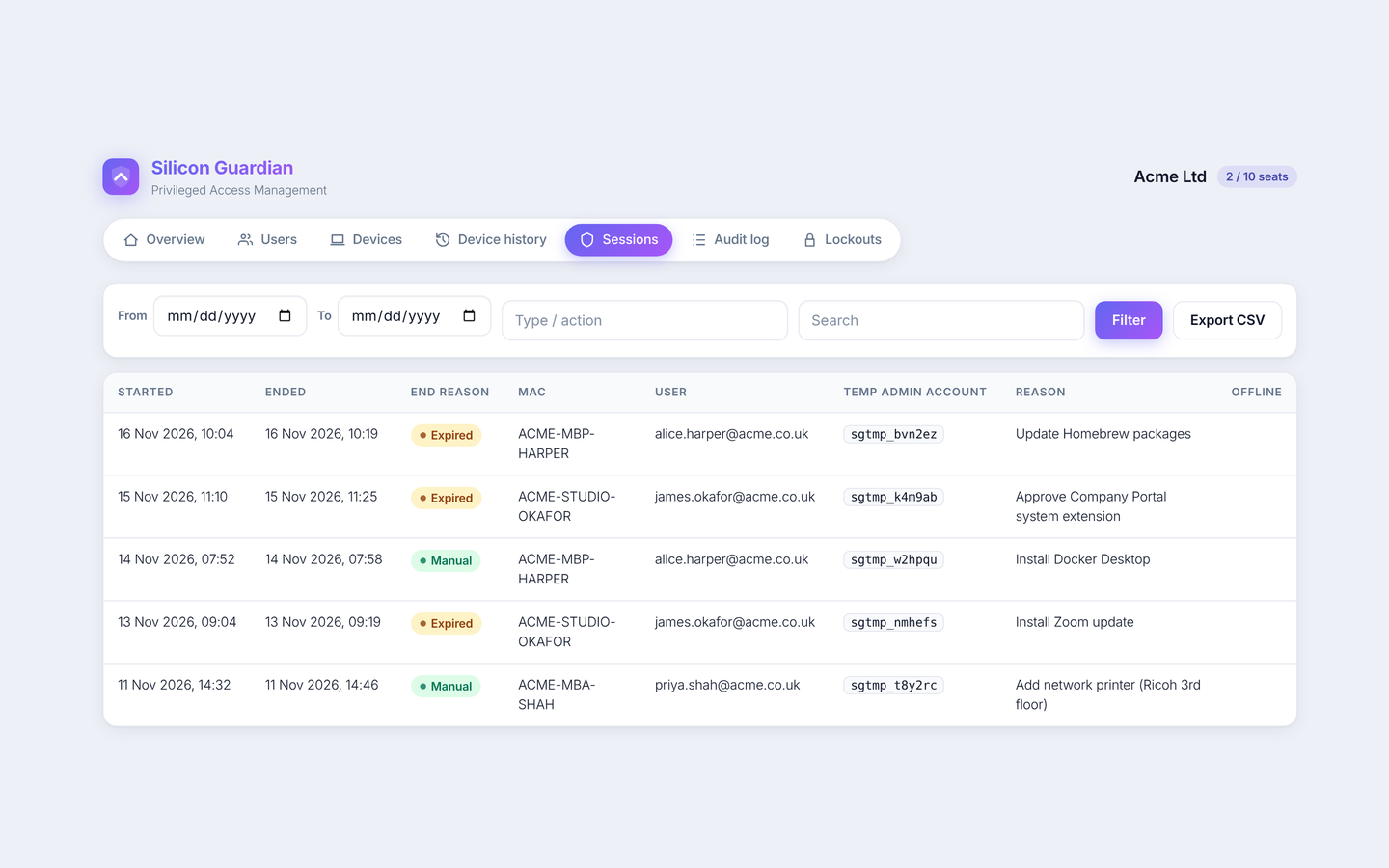
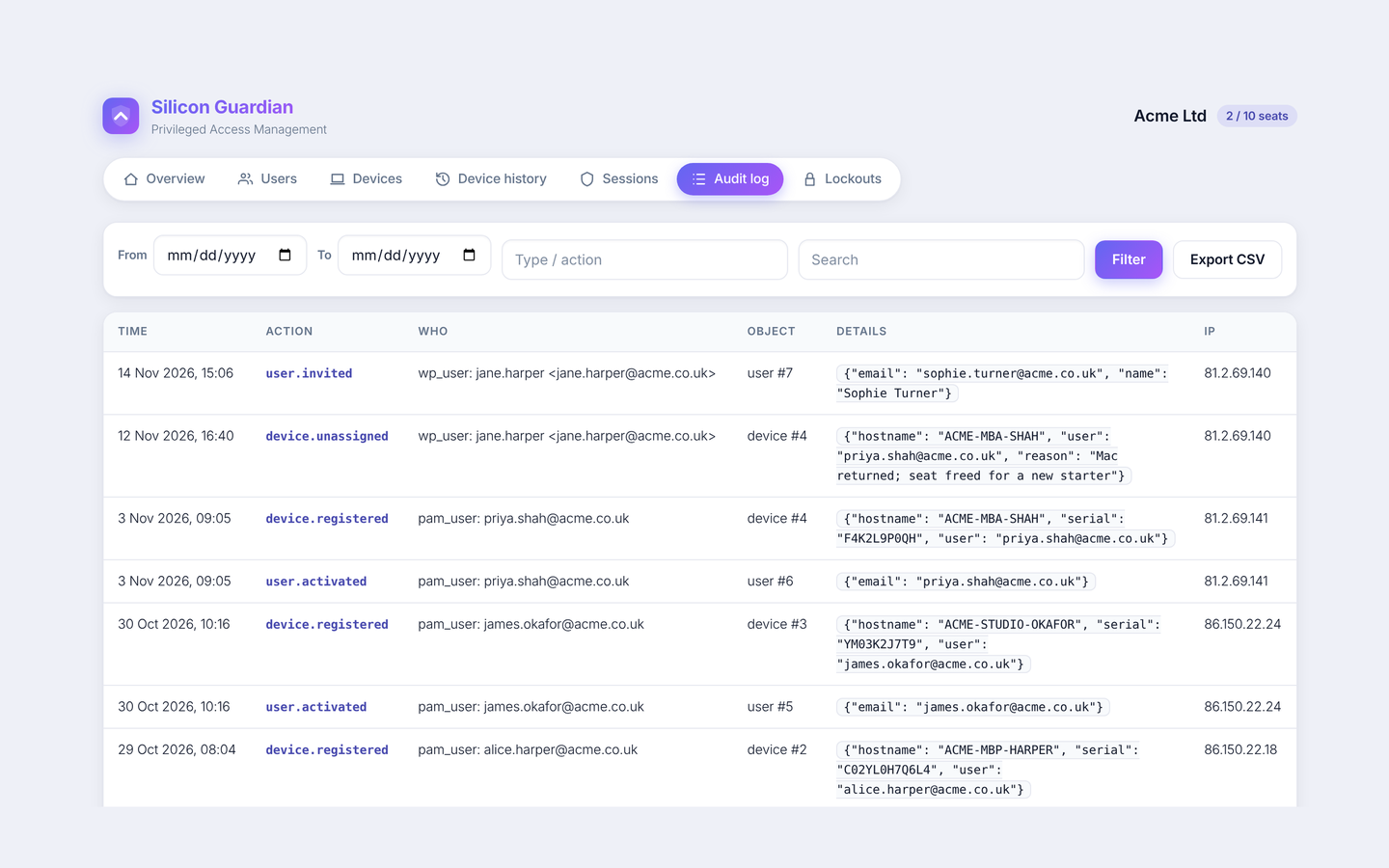
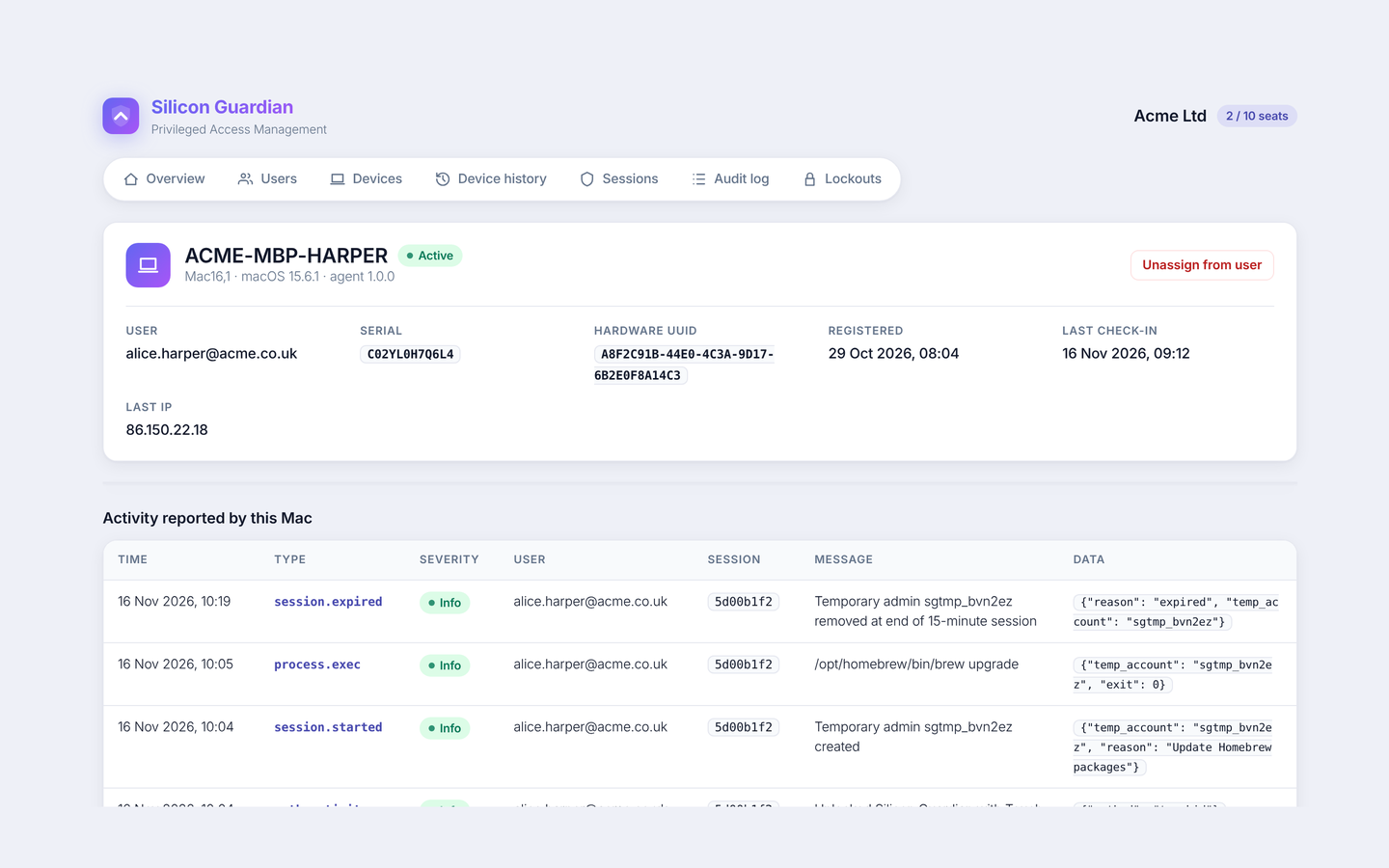
Every elevation is recorded: who, which Mac, the temporary account, the reason, start and end, and activity reported by the Mac. Admin changes — invites, unassignments, seat changes, lockouts — go into an append-only, hash-chained audit log.
Mandatory MFA for every user
Invited users must enrol a TOTP authenticator (Microsoft Authenticator, Google Authenticator, 1Password and others) before they can sign in. Sign-in always requires email, password and a one-time code.
Seat-based licensing you can reassign
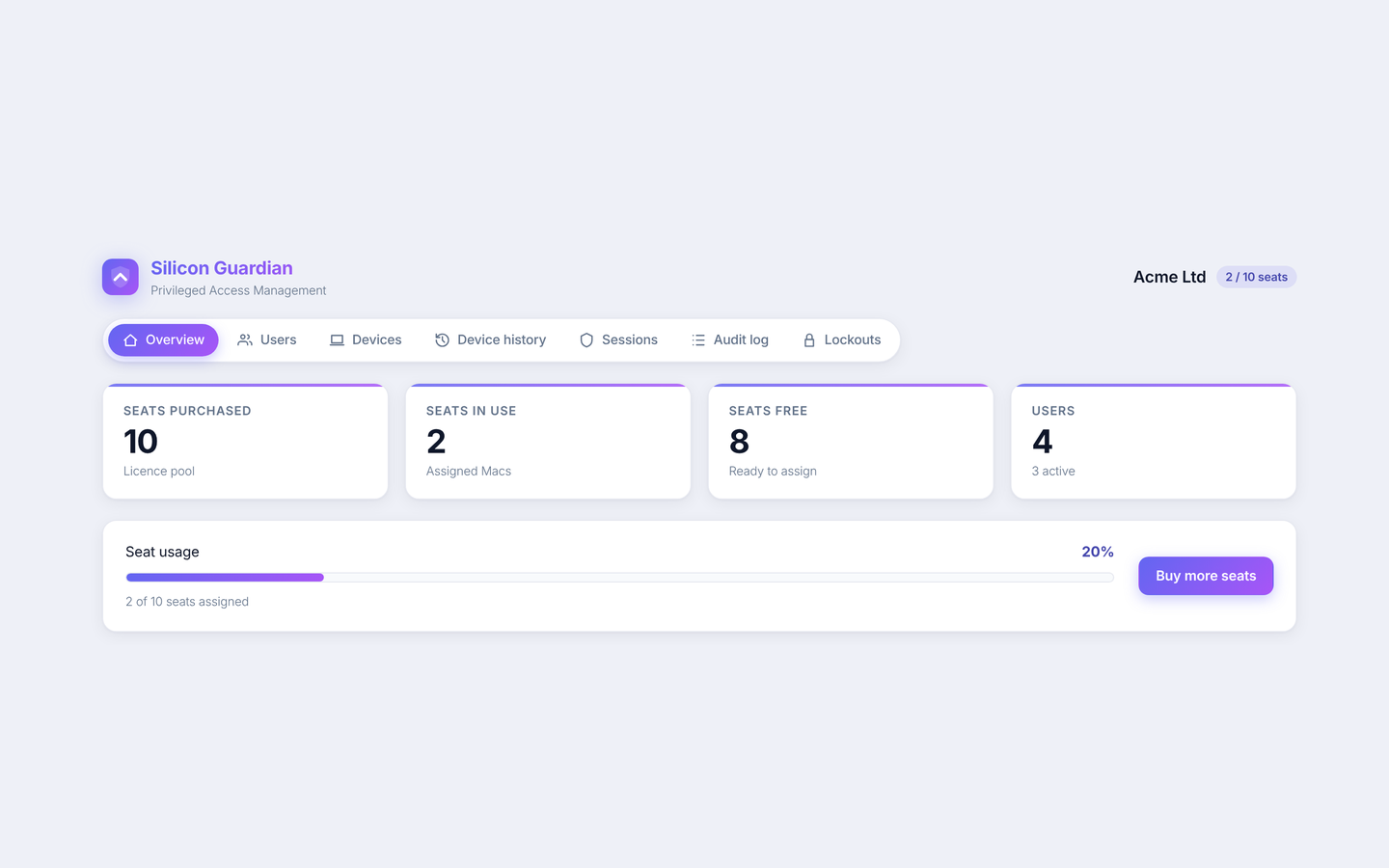
Each Mac uses one seat. Unassign a device from My Account and the seat is freed for another Mac; the history and activity log stay available. Add more seats whenever you need them.
Ready for Intune, Jamf and Kandji
Ship a configuration profile first, then the installer package. Managed login-item settings keep the privileged helper running. Guides for the major Apple MDMs are available to customers after purchase.
In the product
See Silicon Guardian in action
Organisation admins manage seats, people and Macs from My Account. Everything that happens on a device is visible later — including after you unassign it.
Compliance
Designed to help meet Cyber Essentials Plus requirements
Cyber Essentials Plus expects administrative privileges to be controlled and limited. Silicon Guardian is designed around that idea: users remain standard accounts, elevation is time-boxed and re-authenticated locally, and every session is written to an audit trail you can export.
- Users stay standard — the product never promotes the signed-in account.
- Elevation requires a licensed Mac, and either online authorisation or a valid signed licence lease (offline grace of up to seven days).
- Local Touch ID or password is required before a session starts, with a five-minute cooldown afterwards.
- Org admins can disable a user or unassign a Mac at any time; the change takes effect at the next check-in or session request.
- Sign-in is protected with mandatory TOTP and brute-force lockouts on both the server and the Mac app.
Silicon Guardian is not a Cyber Essentials or Cyber Essentials Plus certification, and using it does not by itself make an organisation certified. It is a control that can form part of how you manage admin rights on macOS.
Start with 10 seats for £100 a year
£10 per seat, billed yearly. Add extra seats whenever you need them, and get 10% off at 100 or more.